A notebook that writes back.
Write a problem with Apple Pencil, then ask out loud, type, or point at a line. A patient tutor sees your page and answers on it in its own handwriting, one step at a time.
For iPad with Apple Pencil. Tutoring is for ages 13 and up.
What does the inside of the human eye look like? I have a biology quiz tomorrow.


How a session goes
Everything happens on one sheet of paper. The tutor talks with you and writes beside your work, so the page ends up holding both of your thinking.
-
Ask the way you would ask a person
Write the problem by hand or import a worksheet, then ask. Whatever you are pointing at is what the tutor looks at.
- TalkJust ask out loud while you write. Live captions show both of you.
- PointHold your Pencil over a line and ask “is this one right?”
- TypeTap the keyboard and write a question.
- CircleLasso part of the page and choose Explain this.
-
The tutor answers on your page
It marks the line that went wrong and asks a question that gets you moving, instead of handing over the answer. Steps, graphs, tables and diagrams are written in as it talks, one part at a time.
Equations and chemistry are checked by an exact checker before anything is written, so the page does not guess.
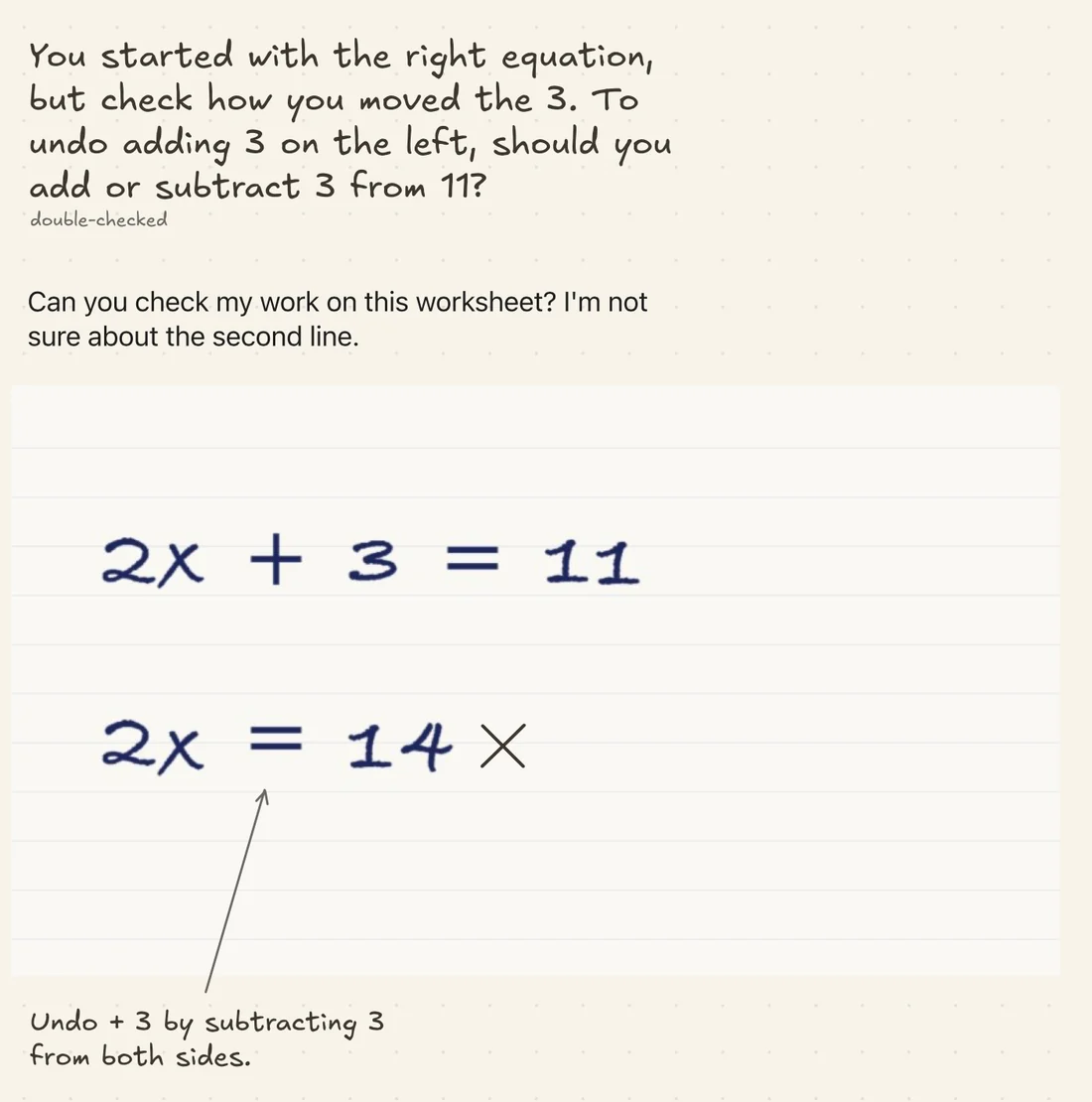
A worksheet photo, checked. The tag under the reply means the maths was double-checked. -
Then it is your turn
A fresh problem appears in a dashed box. Write your answer inside it; a couple of seconds after you lift the Pencil it is checked, or tap Check. Hovering the Pencil over the box waits for you.
A right answer gets a tick. A wrong one gets a short hint beside it, never the solution.
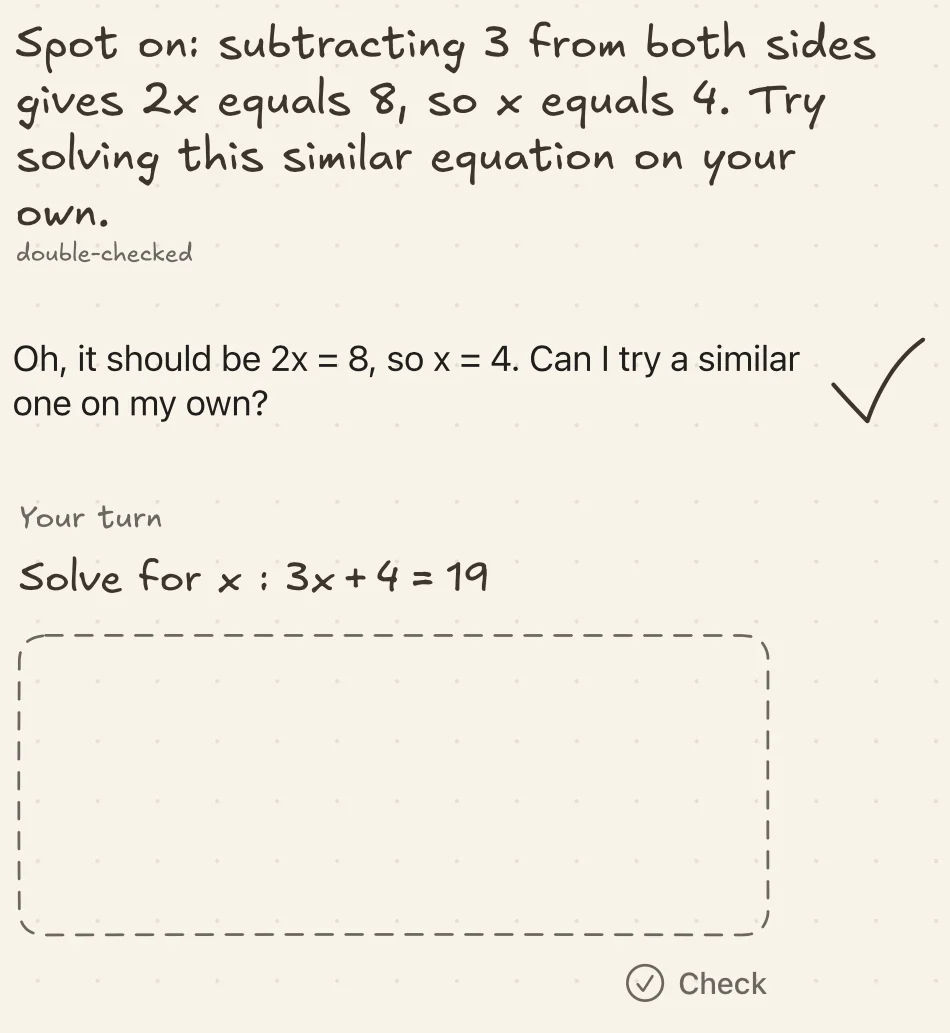
-
It comes back when you would forget
Skills you practised return as new problems at the right time, so what you learn sticks. The goal is simple: next week you solve the same kind of problem on your own.
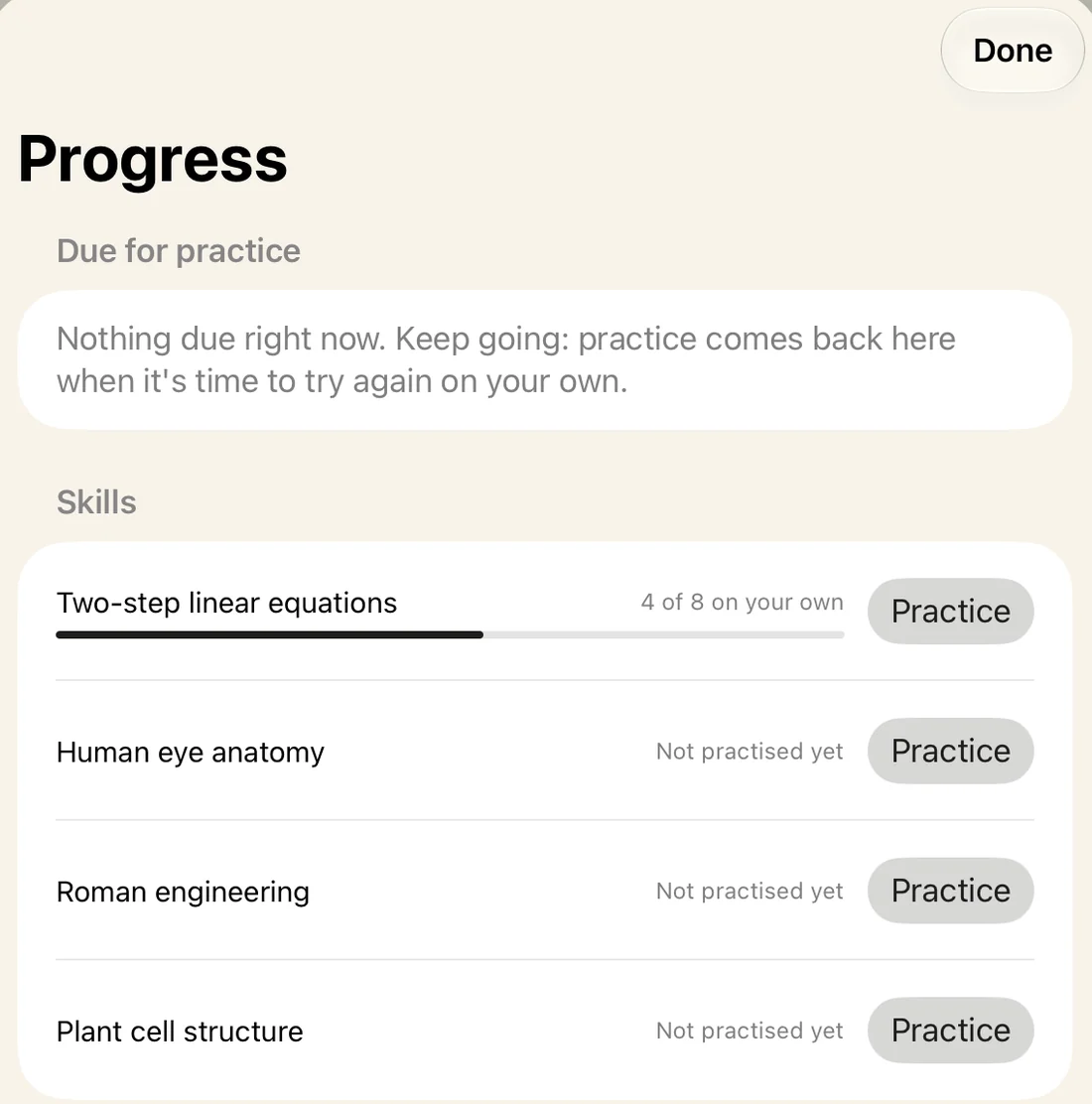
Progress lives on the iPad: skills, practice that is due, and mistakes to watch for.
What the tutor can put on your page
It picks whatever shows the idea best, and writes it in the same handwriting every time.
- Worked steps
- Algebra and calculus lined up on the equals sign, with real fractions and roots.
- Marks on your work
- A tick, a cross or an underline right where it belongs, with a short note and an arrow.
- Graphs and diagrams
- Functions on axes, forces on a block, circuits, flows, timelines and concept maps.
- Sketches of real things
- A cell, a volcano, an aqueduct, drawn as a labelled sketch when seeing it helps, and marked as an AI sketch.
- Language help
- Word-by-word glosses and conjugation tables. Explanations stay in your language unless you ask to switch.
- Practice boxes
- A fresh problem to try on your own, checked as soon as you finish writing.
Your notebook stays yours
Inkwise is built for students aged 13 and up, and for the parents who say yes to it.
- Notebooks live on the iPad, and in iCloud Drive if you turn that on. The tutoring service never stores them.
- Voice tutoring and written tutoring are separate choices, and both are off until you turn them on.
- Only the part of the page you are working on is sent, and only while tutoring is on. Silence never leaves the iPad.
- Privacy Pause turns the microphone off at once, from the top of the page.
- Under 13? Every notebook feature works offline, without AI tutoring.
- Learning records stay on the iPad and can be deleted with one tap, as can your data on the service.
Plans
The notebook is free. The tutor comes with Inkwise Plus.
Notebook
Free, forever
- Unlimited notebooks on an endless page
- Apple Pencil writing, highlighter, eraser and lasso
- Import PDFs, photos and scans; export to PDF
- Works fully offline
Inkwise Plus
Monthly or yearly, with a one-week free trial
- Voice and written tutoring on your page
- Sketches, graphs and practice that comes back
- A generous monthly allowance of voice time, questions and illustrations
- Family Sharing included
Inkwise is coming to iPad.
Leave your email and we will write once, when it is in the App Store. It needs an iPad with Apple Pencil and iPadOS 18 or later.